
بدون عنوان

للرجوع الي صفحة سامسونج Galaxy Ace S5830 الرئيسية اضغط
هنا

mmokk
2012-03-05 (04:04:10PM)
بجد يا جماعة الناس اللى هنا متعاونين جدا جدا جدا وانا مش عارف اقولكوا كلكوا ايه وبالذات استاذ a.m.r واستاذ mahmoud samir والله ياجماعه الناس دى عملوا معايا واجب انى لو شكرتهم من هنا لبكرة مش هيكفى عشان انا كان تلفونى باظ خالص و مكنش بيفتح اصلا و استاذ عمرو قالى اعمل ايه و طبعا استاذ محمود سمير اللى انا زهقتوا باسئلتى و الراجل مكنش بيتاخر عليا فى اى حاجه و بجد شكرا جدا جدا على اللى عملتوا معايا
mmokk
2012-03-05 (04:17:10PM)
ياخوانا انا بعد ماعملت الموب عايز اعمل رووت من اول و جديد مش عايز يعمل رووت و برنامج force 2 sd مش شغال على الموب اعمل ايه :((((((


a.m.r
2012-03-05 (10:54:46PM)
بص ده رابط الرووت للجهاز:

طريقة تنزيله:
1. Copy the Root.zip file (download below) into your sd card. You can even put it in a folder if you want.
2. Turn your phone off
3. Boot your phone into recovery mode. To do that, hold HOME+POWER buttons. When the screen turns on and you see the Samsung logo, let go of POWER but keep holding HOME. After the Galaxy Ace logo shows up and disappears, you should enter recovery mode. You can let go of HOME now.
4. Now in recovery mode, you can scroll up and down using the VOLUME UP and VOLUME DOWN buttons and select using the HOME button.
5. Scroll to the second option “apply update from sdcard” and press HOME to select.
6. Scroll to the Root.zip file and select it (if you put it in a folder, find and open that folder and then select Root.zip
7. After it’s done installing, select “reboot system now” and wait for the phone to reboot
8. To check if your phone is rooted, go to you app drawer and look for an app called superuser with an icon of a pirate android with cross bones. If you see it, your phone is rooted.
طريقة تنزيله:
1. Copy the Root.zip file (download below) into your sd card. You can even put it in a folder if you want.
2. Turn your phone off
3. Boot your phone into recovery mode. To do that, hold HOME+POWER buttons. When the screen turns on and you see the Samsung logo, let go of POWER but keep holding HOME. After the Galaxy Ace logo shows up and disappears, you should enter recovery mode. You can let go of HOME now.
4. Now in recovery mode, you can scroll up and down using the VOLUME UP and VOLUME DOWN buttons and select using the HOME button.
5. Scroll to the second option “apply update from sdcard” and press HOME to select.
6. Scroll to the Root.zip file and select it (if you put it in a folder, find and open that folder and then select Root.zip
7. After it’s done installing, select “reboot system now” and wait for the phone to reboot
8. To check if your phone is rooted, go to you app drawer and look for an app called superuser with an icon of a pirate android with cross bones. If you see it, your phone is rooted.
a.m.r
2012-03-05 (11:06:23PM)
ده رابط الforce2sd جرب كدة من جديد
واحنا هنا للمساعدة عادى
كلنا اخوات


Mahmoud Samir
2012-03-06 (01:49:10AM)
تسلم ياصاحبي وكلك زوقك كفايه زوقك ويارب نقدر نفيد اكبر عدد من الناس وكفايه اننا نتشرف بمعرفتكم دا شرف لينا
mmokk
2012-03-07 (06:50:07PM)
يا استاذ عمرو انا عملت كل اللى انت قلت عليه بس اللينك اللى حضرتك مديهونى مش عايز يعمل دوونلود فانا جبته من على النت عملت عليه سيرش و جبت حاجتين واحد مساحته حوالى 800 KB
و بيكتبلى فى ال recovery moda
E: Error in / tmp/sideload/package.zip
(status 2)
Installation aborted
والتانى مساحته حوالى 5 MB وبيعمل aborted وبصراحة مش عارف اعمل ايه :((((((((
و بيكتبلى فى ال recovery moda
E: Error in / tmp/sideload/package.zip
(status 2)
Installation aborted
والتانى مساحته حوالى 5 MB وبيعمل aborted وبصراحة مش عارف اعمل ايه :((((((((
a.m.r
2012-03-08 (01:11:09AM)
لو بتتكلم عن force 2 sd شغال عادى جدا ولسة مجربه عشانك دلوقتى
وحاول تجربه مرة تانية اما بقا فى غلطة حصلت وانتا بتنزل الروم ده جرب من تانى
وحاول تجربه مرة تانية اما بقا فى غلطة حصلت وانتا بتنزل الروم ده جرب من تانى
mmokk
2012-03-09 (12:45:02AM)
انا عملت كل اللى انتوا قولتولى عليه ونزلت الروم على الموب و عمل زى ماعمل المرة اللى فاتت و الموب مرضيش يفتح برده والحمد لله شغلته تانى وانا مش ناوى انزل الررم دى وشكرا يا رجاله عشان استحملتونى
Info
تلك الخدمة مخصصة للأعضاء فقط
التسجيل بالموقع
حتي تسطيع الاستفادة و المشاركة في الموقع يجب ان يكون لديك حساب علي موقعنا. خطوات بسيطة يمكننا من خلالها انشاء حساب علي موقعنا.
انشاء حساب جديددخول الاعضاء
اذا كان يتوفر لديك حساب علي موقعنا يمكنك تسجيل الدخول بحسابك مباشرة.
دخول الاعضاء
أو الدخول السريع عبر
معلومات سريعة عن Samsung Galaxy Ace S5830
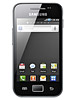
-
Android
-
320 x 480 pixels, 3.5 inches
-
3G
2G / 3G -
5 MP, 25...